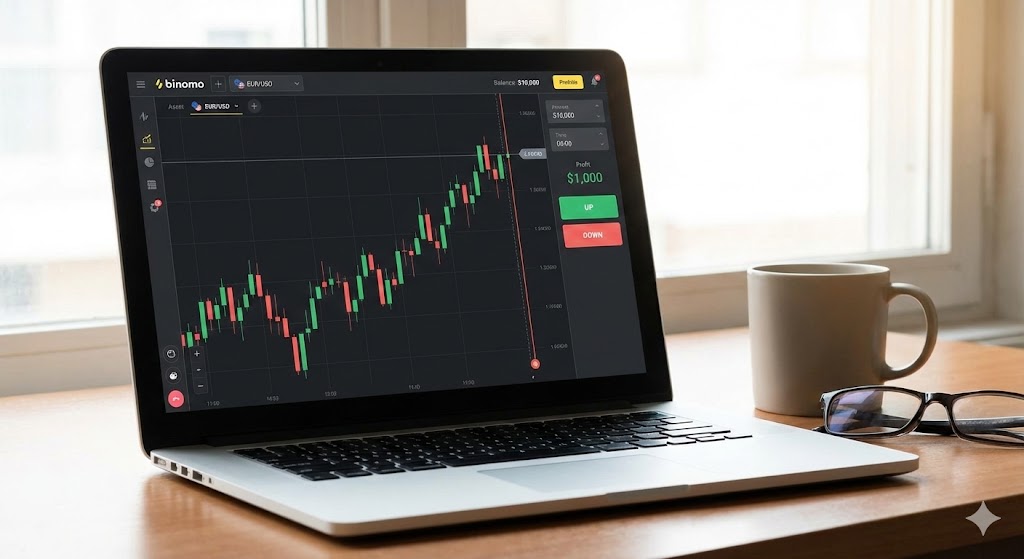
The Binomo Web platform has revolutionized how modern traders interact with global financial markets. Instead of having to download heavy applications that burden your computer's hardware, the web platform allows you to execute trades instantly right from your browser.
For those of you newly diving into the world of financial trading, this guide will thoroughly uncover how to use this web version, starting from the basic interface to the application of advanced technical indicators.
1. Why Choose Binomo Web?
Many beginner traders wonder, what is the difference between the mobile app and the web version? The web version is specifically designed for deeper analysis. A larger screen provides superior visibility when you need to draw trend lines or apply Fibonacci tools.
- Universal Accessibility: Fully compatible with Google Chrome, Safari, Mozilla Firefox, and Microsoft Edge.
- No Installation Required: Saves your hard drive storage space.
- Precision Analysis: Ideal for using multiple technical indicators simultaneously without making the screen feel cluttered.
2. First Step: Accessing the Platform
The very first step is, of course, entering the trading ecosystem. For security reasons, ensure you only input your credentials through official channels. If you haven't logged in yet, please log in to your Binomo account to start practicing the material in this guide using the provided Demo Account.
3. Understanding Chart Types
The web platform offers various chart types to represent asset price movements. For beginners, we highly recommend using Japanese Candlesticks.
This chart provides the most comprehensive information compared to standard line charts, including opening and closing prices, as well as the highest and lowest points within a specific timeframe. To learn how to read these candle patterns from a financial professional's perspective, you can refer to the comprehensive guide on Candlesticks from Investopedia.
4. Applying Technical Indicators
Trading success heavily relies on proper technical analysis. On Binomo Web, you can find a "compass" icon in the bottom left corner of the screen. Click that icon to open the Indicators menu.
For beginners, try combining these two indicators:
- Moving Average (MA): Helps to identify the general trend direction.
- RSI (Relative Strength Index): Helps you detect whether market conditions are currently overbought or oversold.
5. Increase Your Probabilities
Knowing how to use the "Up" (Green) or "Down" (Red) buttons is merely the mechanical foundation. The true essence lies in strategy testing. Do not rush to risk your real funds before you have matured your tactics on the Demo Account.
If you need tactical references that can be practically applied immediately, study the various proven Binomo trading strategies that we have gathered from our financial experts.
Conclusion
Binomo Web is a highly robust tool if you know how to utilize it. Stay disciplined, continuously improve your risk management, and make this platform your primary weapon in your investment journey in 2026. Happy trading!